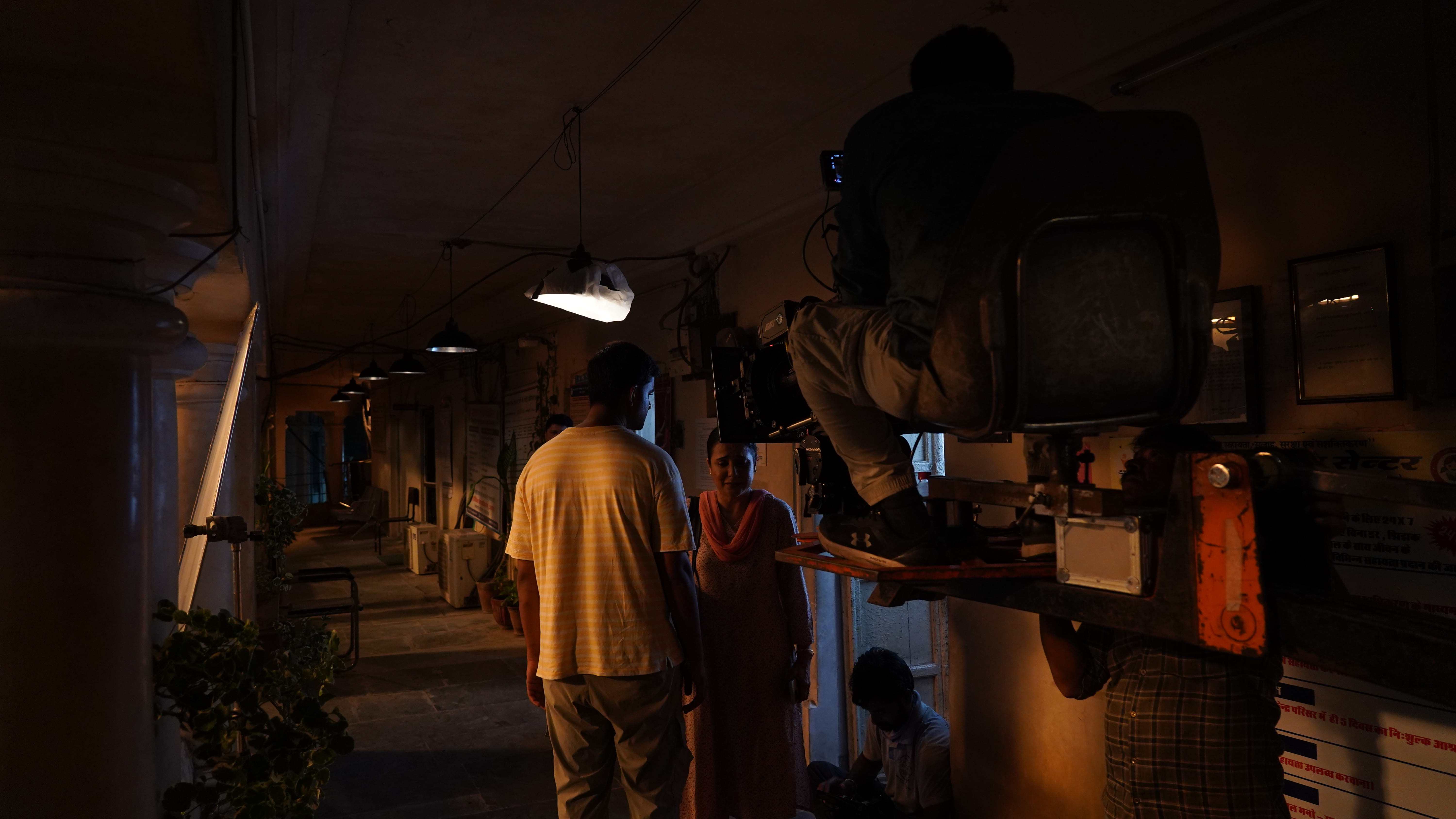
Digital video is used across websites, social media, streaming platforms, digital advertising, and business communication. But what exactly is digital video, how does it work, and what distinguishes one type of video from another?
Understanding digital video involves more than knowing where videos are published. It also means understanding how video is recorded, encoded, stored, edited, and delivered to viewers. For businesses, this knowledge helps in choosing the right production approach, file format, and distribution method.
What Is Digital Video?
Digital video is a sequence of visual images encoded as digital data and displayed rapidly to create the appearance of movement. It may also include audio, subtitles, and graphics.
A digital video can be recorded using a digital camera, captured from a screen, created through animation, or generated using computer graphics. The resulting content can be edited using software, stored as a digital file, and distributed through online platforms or physical storage devices.
Unlike analog video, which represents image and sound information through continuously varying signals, digital video represents this information numerically. This allows computers and other digital devices to process, store, and reproduce the content.
For example, a product advertisement filmed with a digital camera and edited on a computer is digital video. An animated explainer created entirely with graphics is also digital video, even though it contains no live-action footage.
How Does Digital Video Work?
Digital video relies on several technical processes that convert recorded or created images into content that can be stored and played back.
1. Image Capture or Creation
Video begins with images captured by a camera or created digitally through animation, graphics, or screen recording.
A camera sensor converts incoming light into digital image data. In computer-generated video, software creates images using digital models, illustrations, or other visual elements.
2. Frame Rate
Video consists of individual images called frames. When these frames are displayed in sequence at an appropriate speed, they create the perception of continuous movement.
Frame rate is measured in frames per second (fps). Common frame rates include 24 fps for many cinematic productions and 25 or 30 fps for various broadcast and online workflows.
Higher frame rates can capture smoother motion, particularly for fast-moving subjects. The appropriate frame rate depends on the intended visual style, recording conditions, and delivery requirements.
3. Resolution
Resolution describes the number of pixels used to represent each video frame, usually expressed as width × height.
Common resolutions include:
720p: 1280 × 720 pixels
1080p (Full HD): 1920 × 1080 pixels
4K UHD: 3840 × 2160 pixels
Higher resolution can provide more image detail, but the final result also depends on camera quality, lighting, compression, and the viewer's display. A higher-resolution file does not automatically guarantee better visual quality.
4. Encoding and Compression
Raw video data can be extremely large. Encoding prepares video data for storage or distribution, while compression reduces the amount of data needed to represent it.
Common video codecs include H.264, H.265/HEVC, and AV1. Each offers different trade-offs between file size, image quality, processing requirements, and compatibility.
Compression may be lossy, meaning some information is discarded to reduce file size, or lossless, meaning the original data can be reconstructed without that information loss.
5. Storage and Playback
The encoded video is stored in a file or delivered through a streaming service. A compatible media player or platform decodes the data and displays the frames in sequence, alongside audio when present.
This process enables digital video to be played on computers, smartphones, televisions, and other supported devices.
What Is the Difference Between a Video Format and a Codec?
Video formats and codecs are often confused, but they serve different purposes.
A video container format holds the video stream and may also contain audio, subtitles, and metadata. A codec is the technology used to encode and decode the media data.
For example, an MP4 file may contain video encoded using H.264 and audio encoded using AAC. MP4 is the container, while H.264 and AAC are codecs.
Common container formats include:
Format | Typical use |
|---|---|
MP4 | Online video, social media, websites, and general distribution |
MOV | Video production and editing workflows |
WebM | Web-based video delivery |
AVI | Legacy workflows and some existing media systems |
For general online distribution, MP4 with H.264 encoding is widely supported. However, production teams should follow the delivery specifications of the platform or client rather than assuming one setting is suitable for every project.
What Are the Different Types of Digital Video?
Digital video can be classified according to how it is created, what it communicates, or where it is used. The following categories cover common production and communication applications.
1. Live-Action Video
Live-action video uses footage of real people, objects, locations, or events captured through a camera.
Examples include interviews, corporate films, product demonstrations, documentaries, and commercials.
This format is useful when a project needs to show real products, physical environments, human expressions, or actual activities.
2. Animated Video
Animated video uses moving illustrations, digital models, characters, or graphic elements rather than relying entirely on filmed footage.
It may include 2D animation, 3D animation, motion graphics, and computer-generated imagery.
Animation is useful when a subject is difficult to film, when a process needs visual simplification, or when a concept requires imagery that does not exist in the physical world.
3. Screen-Recorded Video
Screen recordings capture activity on a computer, tablet, or mobile device. They are commonly used for software tutorials, product walkthroughs, technical demonstrations, and online training.
Clear narration, readable interface elements, and a logical sequence are important when the purpose is to teach viewers how to complete a task.
4. Brand and Corporate Videos
Brand and corporate videos communicate a company's identity, expertise, operations, or values.
A corporate profile may feature employees, facilities, interviews, and business activities. A brand film may use a more narrative approach to communicate a company's positioning or purpose.
The creative approach should match the intended audience and communication objective. For more on how visual narratives communicate brand messages, read brand video and visual storytelling.
5. Digital Video Commercials
Digital video commercials are promotional videos intended for online distribution. They may be used in paid advertising, on websites, or across social media and video platforms.
Unlike a general corporate video, a commercial usually has a specific campaign objective, such as introducing a product, communicating an offer, or encouraging a particular action.
Producing a commercial requires coordination between the creative concept, script, visual execution, editing, and delivery requirements. Businesses can explore digital video commercial production to understand this production category in greater detail.
6. Educational and Explainer Videos
Educational videos explain a subject, demonstrate a process, or help viewers learn a skill. Explainer videos focus on making a particular concept, product, or service easier to understand.
They may use live action, animation, screen recordings, narration, or a combination of techniques.
For example, a software company could use a screen recording to demonstrate a feature and add animated graphics to explain how it fits into a larger workflow.
How Is Digital Video Used in Business?
Businesses use digital video for different purposes, and the production approach should reflect the intended use.
Product Demonstrations
Product videos show how an item works, explain its features, and demonstrate practical applications. They can help potential customers understand details that are difficult to communicate through static images alone.
A product demonstration should prioritise relevant features and show them clearly rather than including unnecessary visual effects.
Advertising Campaigns
Digital video advertising allows brands to communicate a focused message through online placements. Depending on the campaign, a video may introduce a product, demonstrate a benefit, promote an offer, or direct viewers to a website.
The creative approach should suit the placement, audience, and campaign objective. A video designed for a short mobile placement may require different pacing and framing from a longer film on a website.
Businesses can also refer to this guide to digital video commercials to understand the role of commercial video in digital marketing.
Corporate Communication
Companies use digital video to introduce their organisation, explain processes, communicate updates, and present their capabilities to clients or employees.
The format may range from a filmed interview to a professionally produced company profile. The production scope should be appropriate to the message, audience, and intended use.
Training and Education
Training videos can help organisations deliver consistent instructions to employees, customers, or partners. They are useful for demonstrating repeatable tasks, explaining procedures, and providing reference material that viewers can revisit.
For instructional content, accuracy and clarity are generally more important than elaborate visual treatment.
Social Media Content
Digital video supports short-form clips, interviews, product features, campaign edits, and other platform-specific content.
Businesses should consider aspect ratio, captions, duration, and the viewing environment when preparing videos for social media. These choices influence how comfortably viewers can watch and understand the content.
How Is Digital Video Produced?
Digital video production involves several stages, from developing the concept to delivering the final file. The exact workflow depends on the project's complexity, budget, duration, and intended use.
1. Concept Development and Pre-Production
The process begins by defining the video's objective, target audience, key message, and creative direction.
Pre-production then translates the concept into a practical plan. Depending on the project, this may include scripting, storyboarding, casting, location selection, scheduling, budgeting, and equipment planning.
Businesses planning a complete production can explore end-to-end video production to understand how different stages contribute to the final deliverable.
2. Production
Production is the stage in which the planned footage is captured. It may involve cameras, lighting, sound recording, sets, locations, performers, interviews, and other elements required by the concept.
The equipment and techniques depend on the project's needs. A product advertisement may require controlled lighting and detailed product shots, while a corporate film may involve interviews and footage of business operations.
Technical quality matters, but it should support the story. Camera movement, framing, lighting, sound, and performance should contribute to the intended message.
3. Post-Production
Once filming is complete, the footage moves into post-production. This stage typically includes selecting usable shots, editing sequences, refining pacing, adding music and sound effects, colour correction, graphics, and other finishing work.
Post-production also involves preparing different versions or aspect ratios when a video needs to appear across multiple platforms.
For a closer look at the editing and finishing stage, read what post-production involves.
4. Review, Export, and Distribution
The final video is reviewed for creative consistency, technical quality, spelling in on-screen text, audio levels, and other project-specific requirements.
After approval, the video is exported in suitable formats and dimensions. Different versions may be needed for websites, social media, advertising platforms, or presentations.
Distribution should be considered during planning. A video intended for mobile viewing may require a different aspect ratio and opening sequence from one designed for a presentation screen.
What Should Businesses Consider Before Producing Digital Video?
Technical and creative decisions made before production can affect the quality, cost, and usability of the final video.
Purpose and audience: Define what the video needs to communicate and who will watch it.
Production method: Decide whether the concept requires live action, animation, screen recording, or a combination of approaches.
Technical specifications: Confirm resolution, frame rate, aspect ratio, codec, container format, and delivery requirements where applicable.
Production scope: Account for scripting, locations, talent, equipment, crew, graphics, editing, and the number of final versions required.
Distribution: Identify where the video will be published so the production and export settings can be planned accordingly.
Accessibility: Consider captions, readable on-screen text, and clear audio to make the content easier to understand in different viewing environments.
Planning these factors early helps reduce avoidable revisions and ensures that the finished video is suitable for its intended purpose.
Conclusion
Digital video is digitally encoded moving-image content that can be created through camera footage, animation, screen recording, or computer-generated visuals. Its technical characteristics—including frame rate, resolution, compression, codecs, and container formats—affect how the content is stored, edited, and played back.
For businesses, digital video can support product demonstrations, corporate communication, training, brand storytelling, and advertising. Choosing the right production method and delivery specifications begins with understanding the audience, the message, and where the final video will be used.
AdEtc Studios works with brands on video production and visual storytelling. Businesses exploring commercial or brand-focused content can learn more about ad film makers in Ahmedabad and the production services available.
Frequently asked questions
What is digital video in simple terms?
Digital video is a sequence of moving images stored and processed as digital data. It may also include sound, subtitles, and graphics.
What is the difference between digital video and analog video?
Digital video represents image information as digital data, while analog video represents it through continuously varying signals.
What is the difference between MP4 and H.264?
MP4 is a container format that holds media streams. H.264 is a video codec used to encode and decode video. An MP4 file can contain H.264-encoded video.
What resolution is best for digital video?
The appropriate resolution depends on the intended platform and viewing conditions. Full HD (1080p) is widely used for online content, while 4K may be appropriate when greater detail is required.
Is animation considered digital video?
Yes. Animated content, including 2D animation, 3D animation, and motion graphics, can be rendered and distributed as digital video.
What is digital video advertising?
Digital video advertising uses video content to promote a product, service, or brand through digital channels such as websites, social media, and online video platforms.